Quick guide
Follow these steps for a quick creation of a translation project using a sandbox account and a pre-configured template:
The pre-configured template applies machine translation (MT) services to your translation project by default, which excludes human intervention for a quicker sandbox response.
Steps
In general, these are the steps for a full translation flow:

Refer to the project management guide for more details on the translation project flow.
01. Credentials: Generate sandbox token in dashboard
-
Head to our Dashboard and generate your sandbox temporary token.

-
Copy the just generated temporary token for authorization.
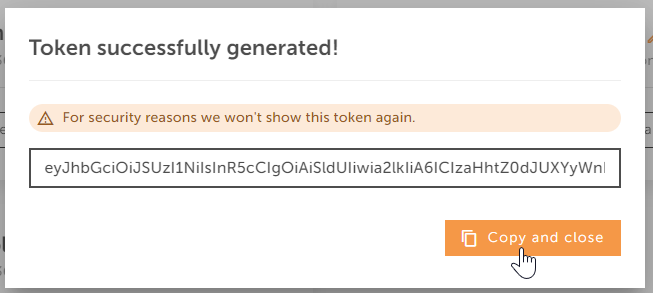
The temporary token expires after several minutes. After that, you can generate another one.
- Paste your token directly in the authorization (Bearer token) request header of the desired endpoint.
See the full list of Project API endpoints here.

02. Create your first translation project
To create your translation project:
- Send this request: POST
/projects
{
  "title": "Title for your project",
  "briefing": "Project summary",
  "briefingForExperts": "Project summary to be read by translators",
  "purchaseOrderNumber": "Your-invoice-reference-001",
  "deadline": "2024-02-15T00:00:00.0000000Z",
  "templateId": 191383,
  "userId": 1135204,
  "externalId": "Your system ID for traceability purposes"
}
- Copy the snippet and try it in our specification explorer.
03. Add a dummy source file
-
Get the project
idfrom the previous action so you can add a dummy source file into your just created project. -
Send this request:
POST
/projects/{id}/files?sourceLanguage=en-GB&targetLanguages=es-ES,it-IT&filename=myfilename.txt
- The body of the request should be the binary of your file.
- The file name field is mandatory.
-
You can adapt your source and target languages at your desire! See the full list of supported languages here.
-
Give a go to the
Add source fileendpoint in our specifications explorer.
Pay attention to the recommendations described in the files management guide.
04. Start the project
Your project is now ready to rock!
-
Send your project to LanguageWire Platform for translation:
POST
/projects/{id}/do-start -
Send the request by means of the start project endpoint.
You can also start your projects as a quote calling the endpoint /projects/{id}/do-quote.
05. Poll the project to check status
You can now start polling the get project endpoint to track and check when it transitions to a "Finished" status.
A Machine Translation based project is usually finished in less than 1 minute (under usual conditions).
-
Send this request:
GET
/projects/{id} -
You will receive a similar response to:
{
  "id": 1590072,
  "title": "Title for your project",
  "briefing": "This is a demo project created from the demo raw MT template",
  "briefingForExperts": "Project summary",
  "purchaseOrderNumber": "",
  "deadline": "2023-02-10T14:40:23.9970412",
  "creationDate": "2023-02-10T14:38:00",
  "finishedAt": "2023-02-10T14:41:00",
  "templateId": 191383,
  "serviceId": 21,
  "translationMemoryId": 96089,
  "invoicingAccountId": 146203,
  "userId": 1134838,
  "workAreaId": 113,
  "status": "Finished",
  "platformLink": "https://platform.languagewire.com/projectbox/1590072",
  "referenceFiles": [],
  "files": [
    {
      "sourceFileId": "d97390b8-e11f-4322-9c86-dfb43299829c",
      "sourceFileName": "demo.txt",
      "sourceLanguage": "en-GB",
      "translations": [
        {
          "id": 7681488,
          "fileId": "cfd699bb-0c64-4989-be74-854213901a04",
          "targetLanguage": "da",
          "status": "Finished",
          "translationFileName": "demo(dan).txt",
          "translationFileLink": "api.languagewire.com/project/v1/projects/1590072/files/cfd699bb-0c64-4989-be74-854213901a04"
        },
        {
          "id": 7681489,
          "fileId": "d5930346-ea6b-4edf-87ca-57e297285cd2",
          "targetLanguage": "it-IT",
          "status": "Finished",
          "translationFileName": "demo(ita-IT).txt",
          "translationFileLink": "api.languagewire.com/project/v1/projects/1590072/files/d5930346-ea6b-4edf-87ca-57e297285cd2"
        }
      ]
    }
  ],
  "externalId": "Your system ID for traceability purposes"
}
06. Download your dummy translation file!
-
Once you see the translation has a "Finished" status, you can easily fetch your translation by doing:
GET
/projects/{id}/files/{fileId} -
Get your prize! Download translated file.
The content of the file is in the body and you can see the file name and file type in the headers.
Congratulations!🙌
You have now completed the basic steps for our Project API.
Continue exploring our API or just head over to the getting access section to find out how to be registered in LanguageWire and how to obtain your full access credentials for your own projects with private data.