Quick guide
Follow these steps for a quick text translation using a trial account.
01. Credentials: Generate credentials in dashboard
- Head to our Dashboard and generate your trial credentials.
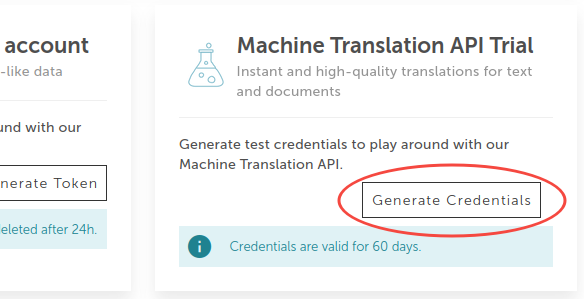
- Fill out the form with your information.
- Copy just the generated temporary token (make sure to select it all) for authorization.
For this guide, we will only need the temporary token.
However, you can also save the client ID and secret in your local environment.
Those can be used to generate new access tokens.
You can learn about how to use them from the authentication guide.

02. Send the text translation request
- Navigate to the translate text endpoint.
- The
Bearer Tokenwill be automatically prefilled with the token created at step 1. If that is not the case, click the "Authorize" button, paste the token you copied and then click "Save".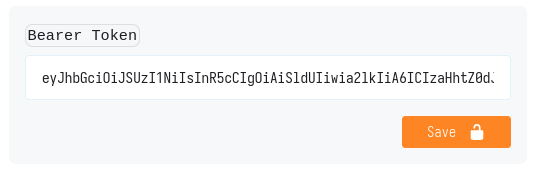
- The specification explorer provides a short example of the input for the endpoint.
Text translation request
{
  "source": "en-GB",
  "target": "de-DE",
  "segments": [
    {
      "text": "Hello from LanguageWire!"
    }
  ]
}
- You can click the "Execute" button to send the request. Alternatively, you can use one of the provided code snippets. The code example will be updated live if you modify the request body.
- You will receive a similar response to:
Text translation response
{
  "translations": [
    {
      "translation": "Hallo von LanguageWire!"
    }
  ]
}
Congratulations! 🙌
You have now completed the basic steps for our MT API.
Continue exploring our API or just head over to the getting access section to find out how to be registered in LanguageWire and how to obtain your full access credentials.