Manage your applications
This guide shows how to create, edit and delete production applications from our Dashboard. You can skip this guide if you are using a trial account.
From our Dashboard you can perform these actions:
- View existing applications
- Create a production application
- Edit an application
- Delete an unused application
- Rotate the client secret
Create your application
The applications create the Client ID and the Client Secret needed for the API authentication.
- To start creating live applications you must be registered and logged in LanguageWire Platform.
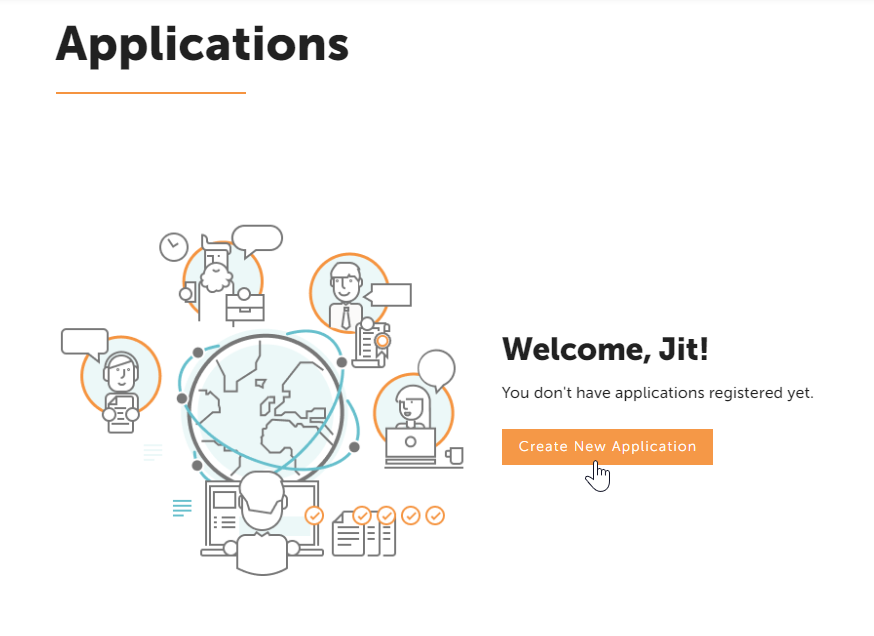
- Click on "Create New Application" button to start creating your app.
- Type a recognisable Application Name and description for your application.
- Select "Machine Translation API" from the list of APIs.
You must have a valid subscription for MT API in order to see this option.
If you don't select "Machine Translation API", MT API will reject requests with tokens generated by this application. - Click on the "Create" button
- Your application is now created, and you’ll be redirected to the apps overview page.

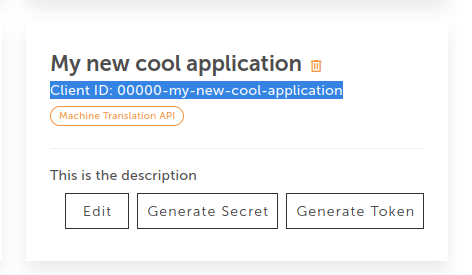
Client ID
When creating your application, the system automatically generates a Client ID. This is the unique code that is linked to your Platform account and identifies your application, so there is a match between your private data and the API requests.
Edit your application
This allows you to update the:
- Name of the application
- Description of the application
- The list of APIs which this application is allowed to use
Note that you can not change the Client ID. If you wish to change the Client ID, you have to delete the application and create a new one instead.
Delete your application
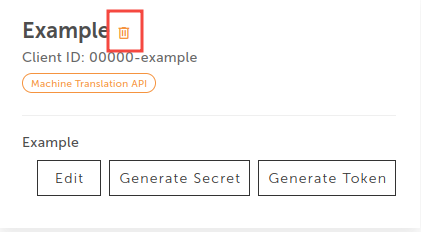
Once your application is out of use, you can remove it from the dashboard. Use the bin icon and your app will be permanently removed.
This action is irreversible. When an application is deleted, new access tokens can not be created for the given client ID.